
v1.46
Version 1.46 Release Notes
Release Date
December 12, 2025
New Features
- Print Multiple Sets of Assembly Components on Label Tool: A
Component Label Qtyfield was added to the Label Tool options for related Label Types, allowing users to print a specific quantity of "Component Sets" at the same time as the Parent Assembly part.
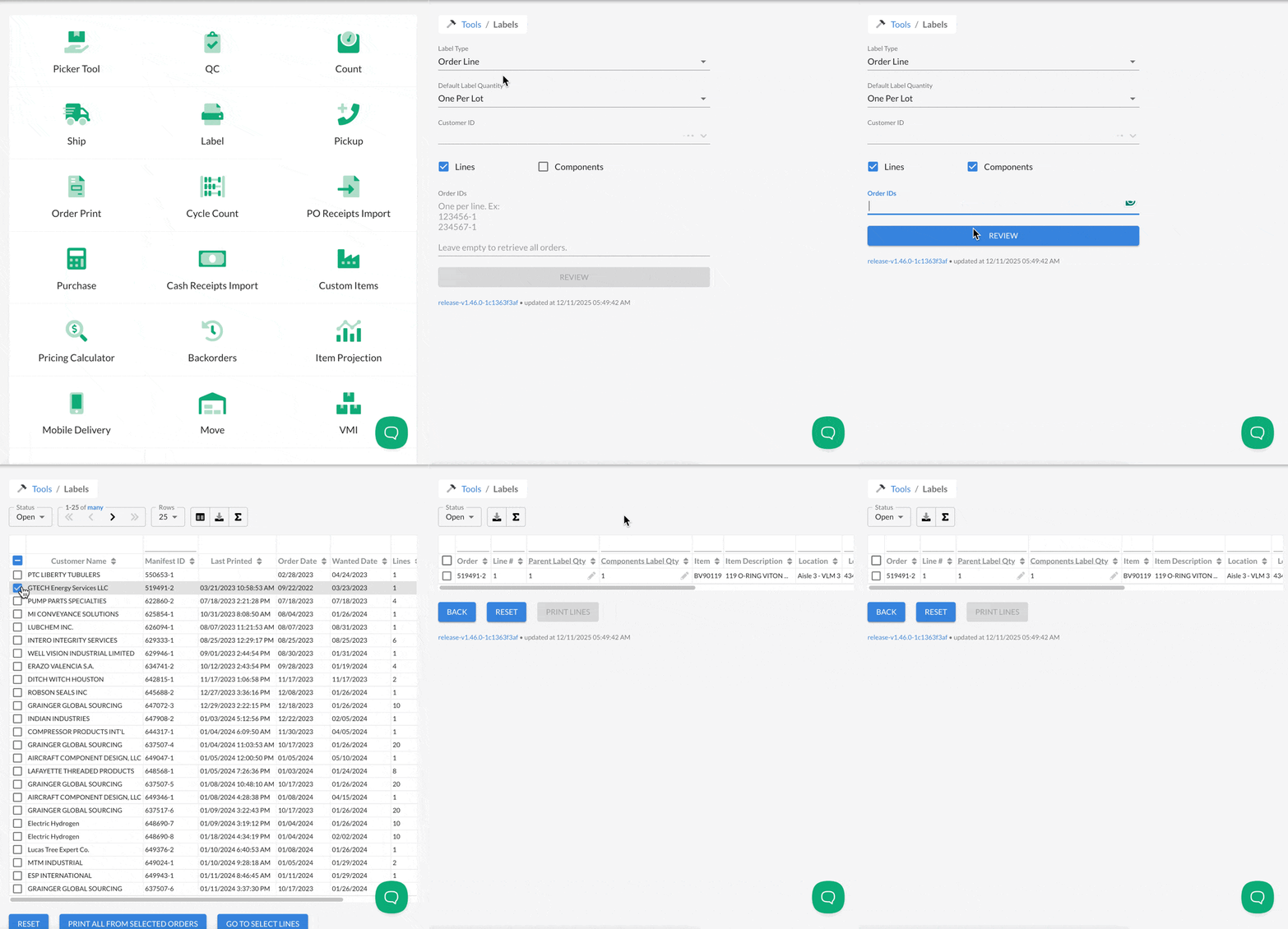
- Added
Tagsfor Item Searching: A new field -Tags- was added to Items. Users can add any string or multiple strings, separated by commas, to this field, and it will be used for searching on Quote and Sales Order Lines. Check out the how to here: Using Item Tags for Searching on Quotes and Orders.
Tags searching will be expanded in the future to include other item/inventory search areas!
Improvements
- Credit Card Pickup Orders on Pickup Tool: We modified the Pickup Tool to ensure the full workflow for capturing Credit Cards on
Due Upon Receiptterms - those flagged asCC Direct Capture in Pickup Toolin Admin Payment Terms - is followed. Previously, clicking outside of the capture screen allowed users to bypass the full capture and left unnecessary pre-authorizations in the associated card. Users now will need to click eitherConfirmorCancel, and prompts are included as reminders!
Check out the updated How To Video for Credit Cards on Will Call/Pickup Orders!
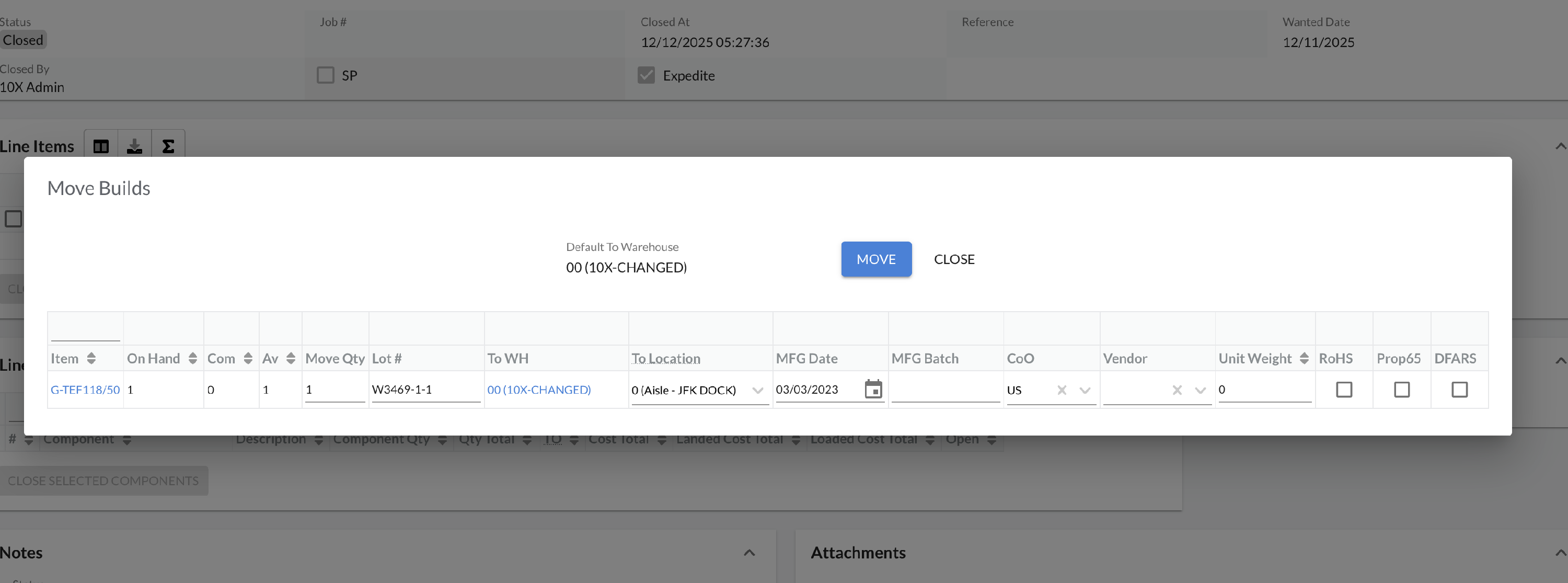
- Editable Fields Added to WO Build Closure Popup: Most of the editable Lot fields have been added to the WO Build Closure popup, allowing users to edit the information directly on screen when closing instead of clicking through to the Lot details.
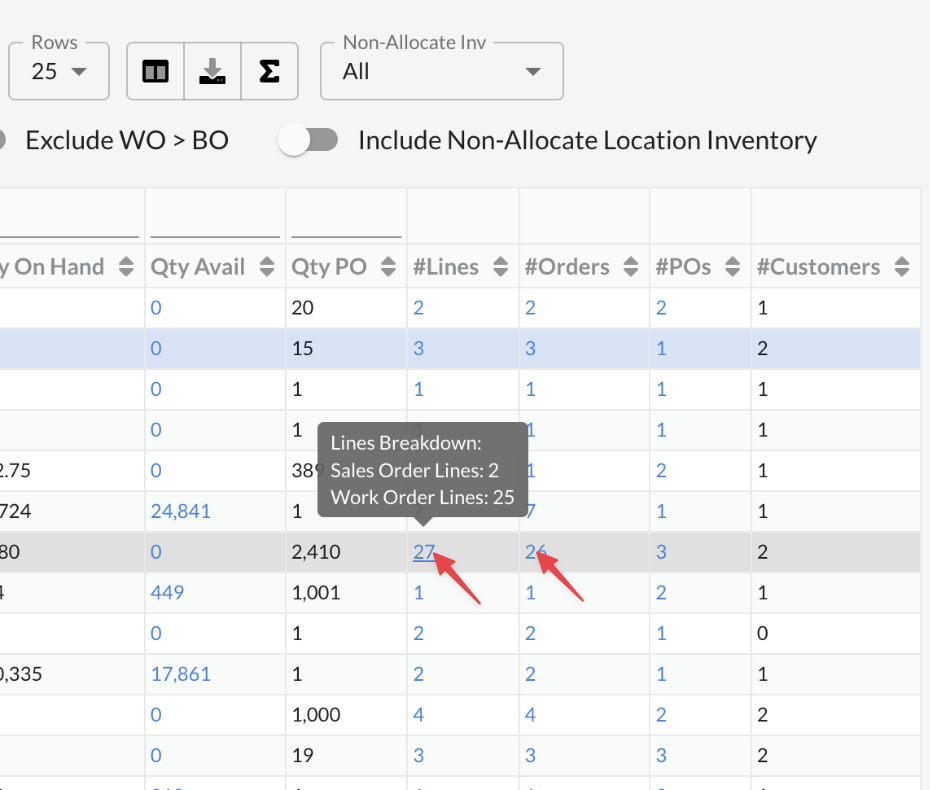
- Backorder Tool Updates: The
Nearest Wanted Datenow includes Work Order Lines, and a tooltip was added to#Orders&#Linesshowing the number of Sales Orders vs. Work Orders related to the item on backorder.
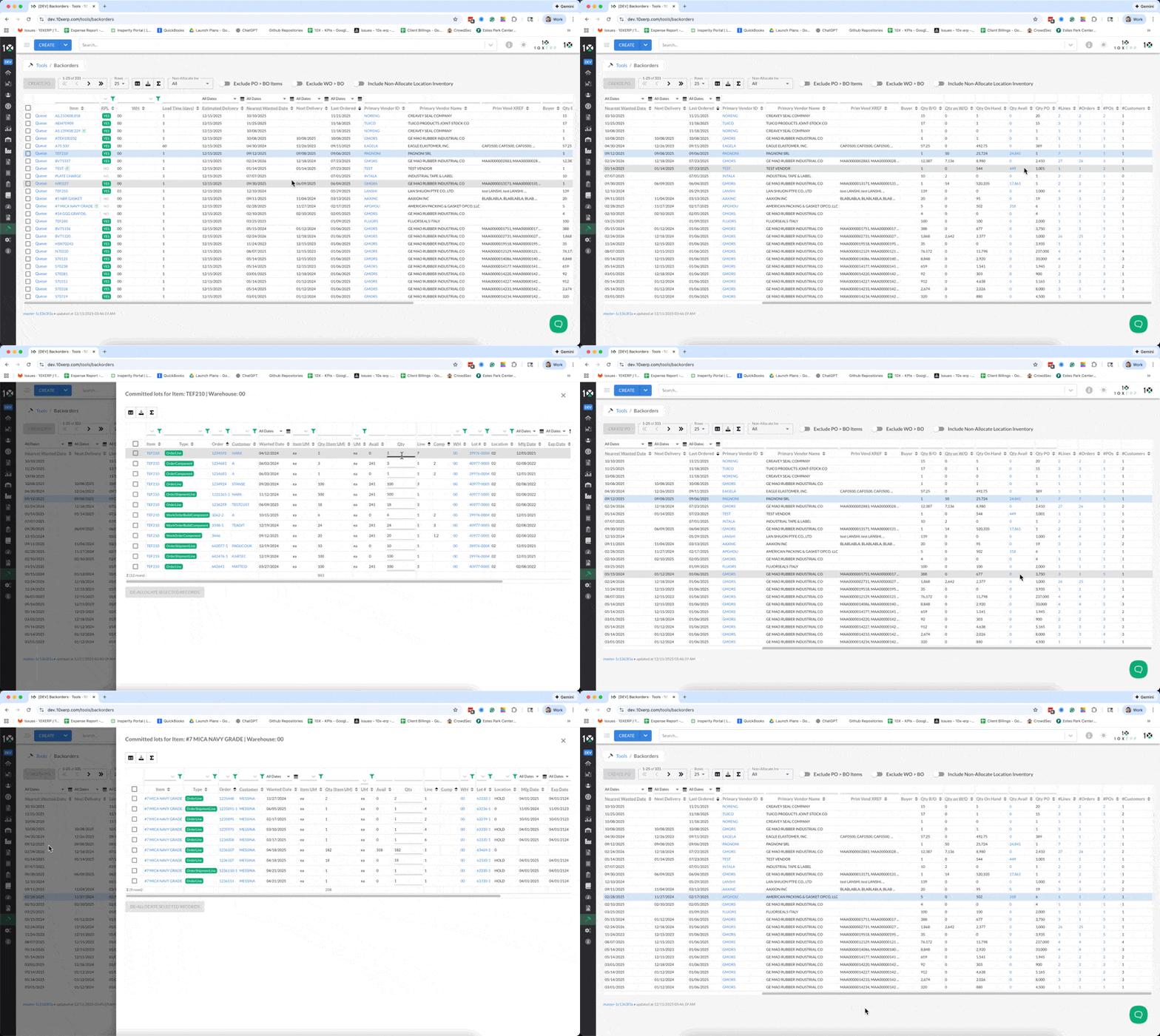
- The
Qty Availfield was also updated to include a hyperlink to the Committed Details drawer, allowing users to see where the item is already committed quickly!
- Price & Cost Rules Updates: Various updates continue to improve the usability of the Price and Cost Rules, including updated naming for
Calculation Methodsin this release and more easily visible amounts and quantity breaks. We continue tweaking these based on customer feedback and will generate new/updated how to videos as they are completed.
Bug Fixes
- Warehouse (WH) Alignment on Backorder Tool: The Backorder Tool would retain the original
Ship from WHon a Sales Order rather than updating it when it is modified. The tool should now pull data directly from the Order in real time, ensuring better alignment with purchasing. - Sales Order Return for Consolidated Lots: Cleared a bug that didn't allow the new
Consolidatedlots feature to return parts properly on Return Receipts.
As a bonus NEW feature - users can now generate Returns from Migrated Orders too!
- Taxable Status Not Adjustable on Quotes: Cleared a bug where the
Taxablestatus on Quotes couldn't be updated. This occurred after a recent update to ensure that new locations created directly on a Quote or Sales Order properly follow the Customer's default. - Discounts Misapplied on Subsequent AR Received Payments: Some invoices remained open if multiple payments were received due to a mis-calculation of discount amounts. This only happened if multiple payments were applied within the initial discount period & Add Ons were updated.
- Minor Reported Bugs Cleared: Various user-reported bugs were resolved, including errors when copying an order with assemblies, the component drawer not appearing on first page load, data alignment issues in the Bookings Dashboard, and the invoice PDF not using the new adjustable Ship To address on the Invoice header, among others.
Deprecated Features
- None
Known Issues
- No reported breaking issues at this time