
How to Send (or Resend) Order Related Documents
How to Send or Re-Send Order Acknowledgments in 10X ERP
This guide outlines how to send or re-send order acknowledgments, along with additional documents like picking or packing slips, in 10X ERP.
- SEND Order Acknowledgments During Publishing:
- Publish the sales order.
- When prompted, confirm to email the order acknowledgment to the customer.
-
Optionally, select and include attachments before sending.
RE-SEND Order Acknowledgments After Publishing:
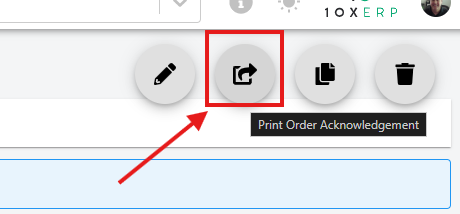
- Open the relevant sales order (open or closed).
-
-
Click the acknowledgment icon to bring up the email dialog and send the acknowledgment.
SEND/RESEND Picking or Packing Slips:
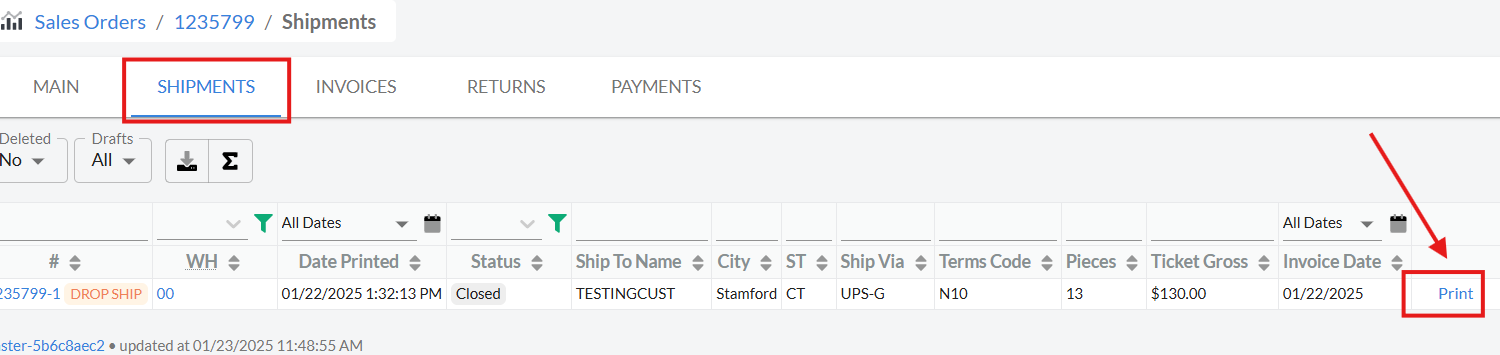
- Navigate to the shipment associated with the sales order.
- Click "Print" to access the options for picking and packing slips.
- Send the slips via email directly from the shipment screen.
-
Note: Ensure any necessary attachments are selected before sending emails for accurate and complete communication.