
v1.56
Version 1.56 Release Notes
Release Date
May 28, 2026
New Features
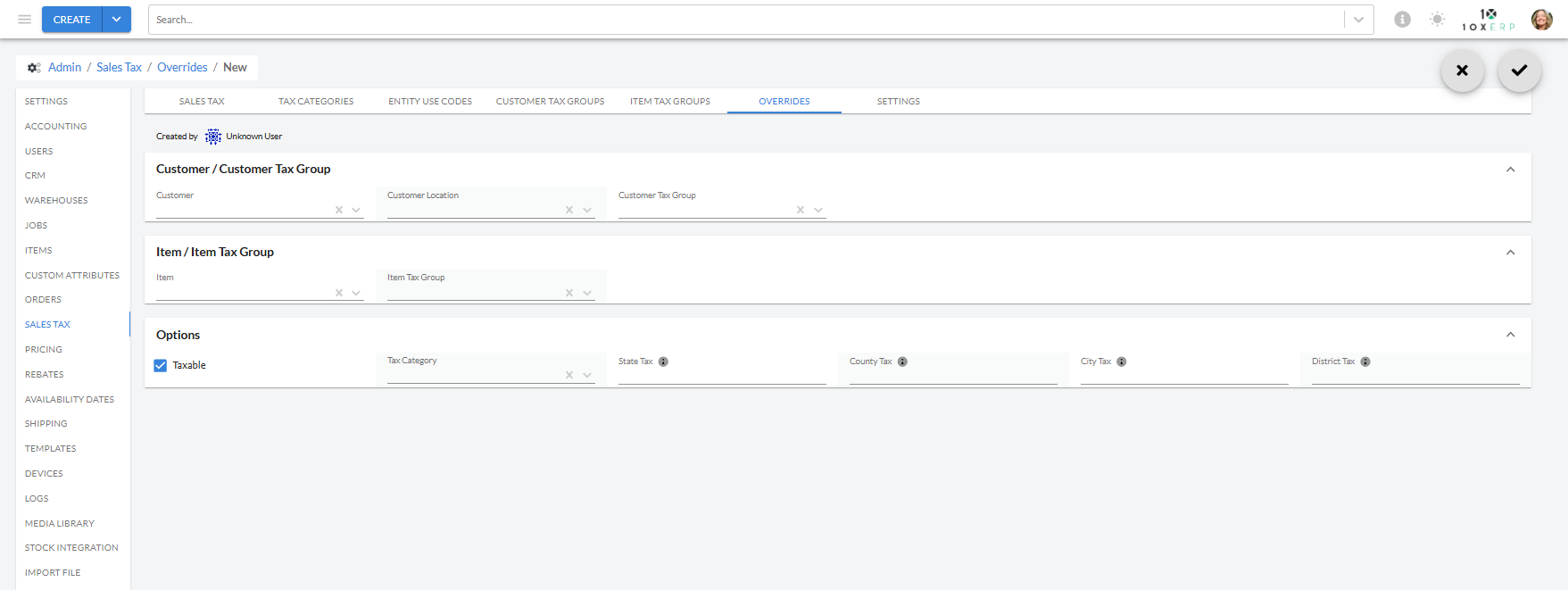
- Item-Level Tax Rate Overrides for 10X Calculated Tax: Tax rates can now be overridden at the Item and Item Group level to support state-specific tax requirements. Configure override rates in the UI, and the system will automatically apply the correct rate during transaction processing based on defined precedence rules.
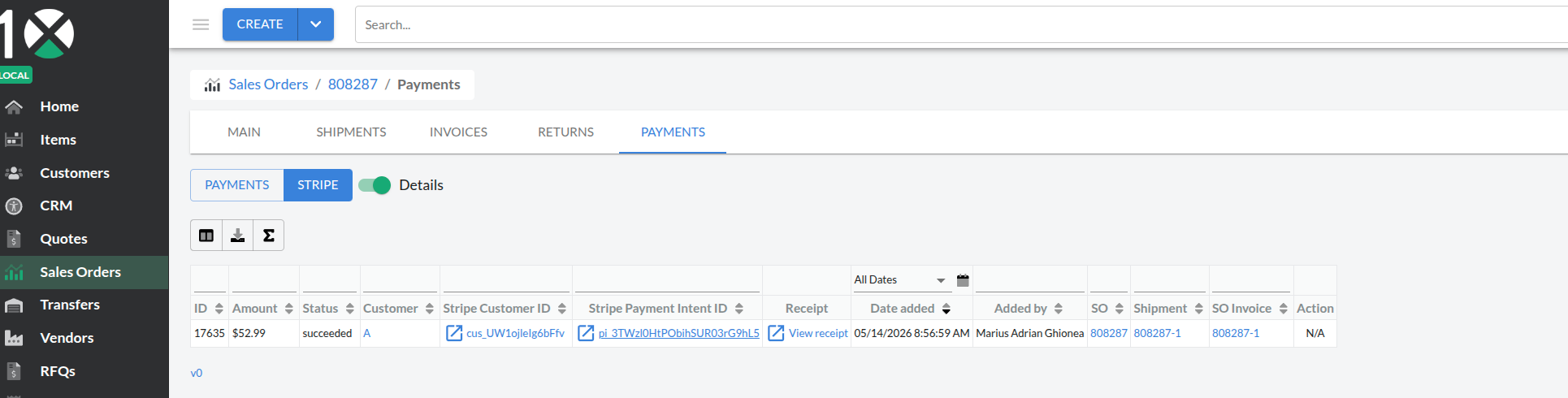
- Stripe Receipt Storage on Payment Records: Stripe credit card receipts are now automatically retrieved and stored as attachments on payment records, allowing customers to access and print receipts directly from the payment details without leaving the system.
- Purchase Tool Accounts for Available-to-Make Inventory: The Purchase Tool now factors in available-to-make inventory when calculating suggested purchase quantities, ensuring recommendations reflect actual production capacity. A new option lets you include or exclude available-to-make in calculations, while respecting your existing min/max quantity constraints.
- Payment Information Block on Invoice PDFs: Invoice PDFs now include a Payment Information block displaying payment details such as Payment ID, Payment Date, Payment Type, and Payment Amount. When an invoice is paid by credit card through Stripe, a clickable link to the Stripe receipt is automatically included on the PDF for easy access to payment confirmation.
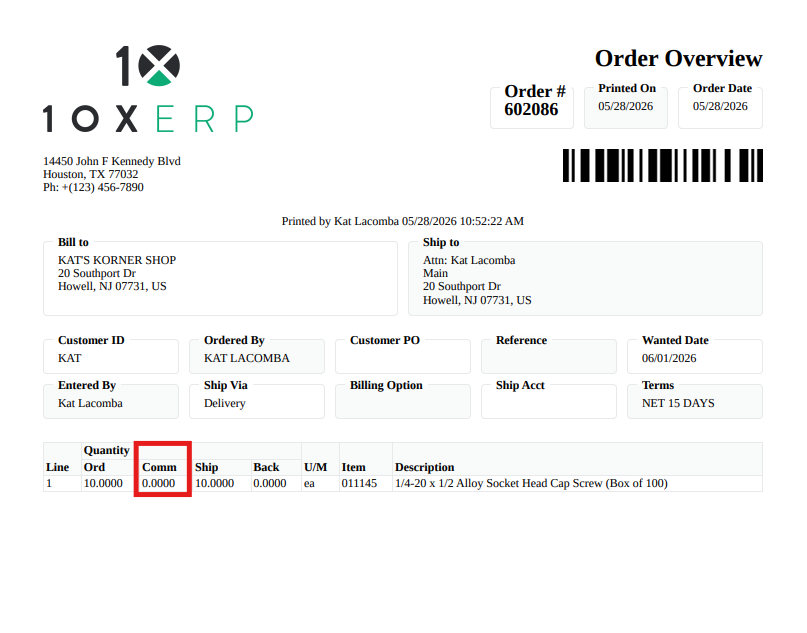
- Committed Quantity Column on Order Overview Document: The Order Overview document now displays a Committed Quantity column alongside shipped and backordered quantities, giving you a complete view of order fulfillment status in one place.
- Edit Location in Mobile Delivery Tool: Users can now edit the Location field directly in the mobile delivery tool using a pencil icon, with the Ship Method remaining unchanged after updates. This streamlines the delivery workflow by allowing quick location adjustments without affecting existing shipping preferences.
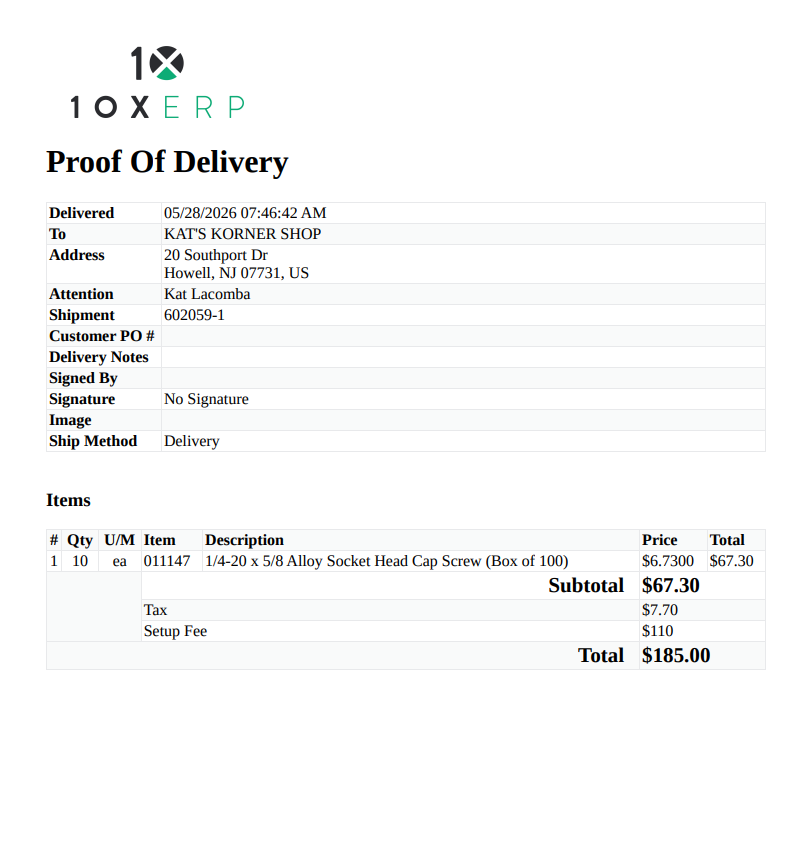
- Print Prices on Proof of Delivery Documents: Proof of Delivery documents now include a configurable Print Prices option that displays item unit prices, line totals, and subtotal information (Subtotal, Tax, Add-Ons, Total) when enabled. Pricing fields remain hidden when the option is disabled, giving you control over what information appears on your delivery documents.
Improvements
- None
Bug Fixes
- PO Link Banner Persists After Receipt: The linked Purchase Order banner now remains visible after a PO is marked as received, ensuring you can continue tracking the PO status until shipment is created. This prevents the banner from unexpectedly disappearing during the fulfillment workflow.
- Average Cost Calculation Fixed for Consolidated Lots: Average cost for items with consolidated lots now correctly calculates the weighted average across all received purchase orders instead of reflecting only the most recent PO cost. Existing consolidated lot records have been retroactively corrected to ensure accurate inventory valuation going forward.
- Signature Pad Clears Previous Signature on New Request: The signature pad now properly clears the previous signature when prompted to sign again, ensuring a blank pad is ready for the next customer. This resolves issues when multiple customers need to sign sequentially on the same device.
- Fix Work Order Print Error: Work orders can now be printed successfully without encountering server errors. A data validation issue that prevented PDF generation has been resolved, ensuring the print flow completes reliably.
- Cascade Delete and Restore for Customer and Vendor Records: When you delete a Customer or Vendor, all associated entities, including Contacts, Locations, XREFs, and Price Rules, are now automatically deleted as well. If you reactivate the Customer or Vendor later, all related records are restored, keeping your data clean and consistent throughout the system.
- Correct Gross Profit Dollar Calculation on Sales Orders: The GP Dollar field on sales orders now displays the correct gross profit by excluding tax from the calculation. Previously, tax was incorrectly included in the displayed amount, causing inaccurate profit figures to appear on the screen, though backend sales reports were unaffected.
- Default G/L Account Populates Correctly on Bill Line Items: Fixed an issue where default G/L accounts were populating on the next line item instead of the current one when creating bills in Accounts Payable. The expense account now appears immediately when you add a line item, streamlining the bill entry process.
- Scheduled Orders Now Print Line Items on Picking Slips: Scheduled Orders now correctly print their line items on Picking Slips when within the scheduled window. Previously, line items were excluded from Picking Slip generation even though the Order appeared in the print tool, causing incomplete documents. This fix ensures all eligible line items print consistently with the Order's visibility.
Deprecated Features
- None
Known Issues
- No reported breaking issues at this time